How to Register with Glen Rock Community School
Follow these simple steps to register your child for our robotics classes
Step 1
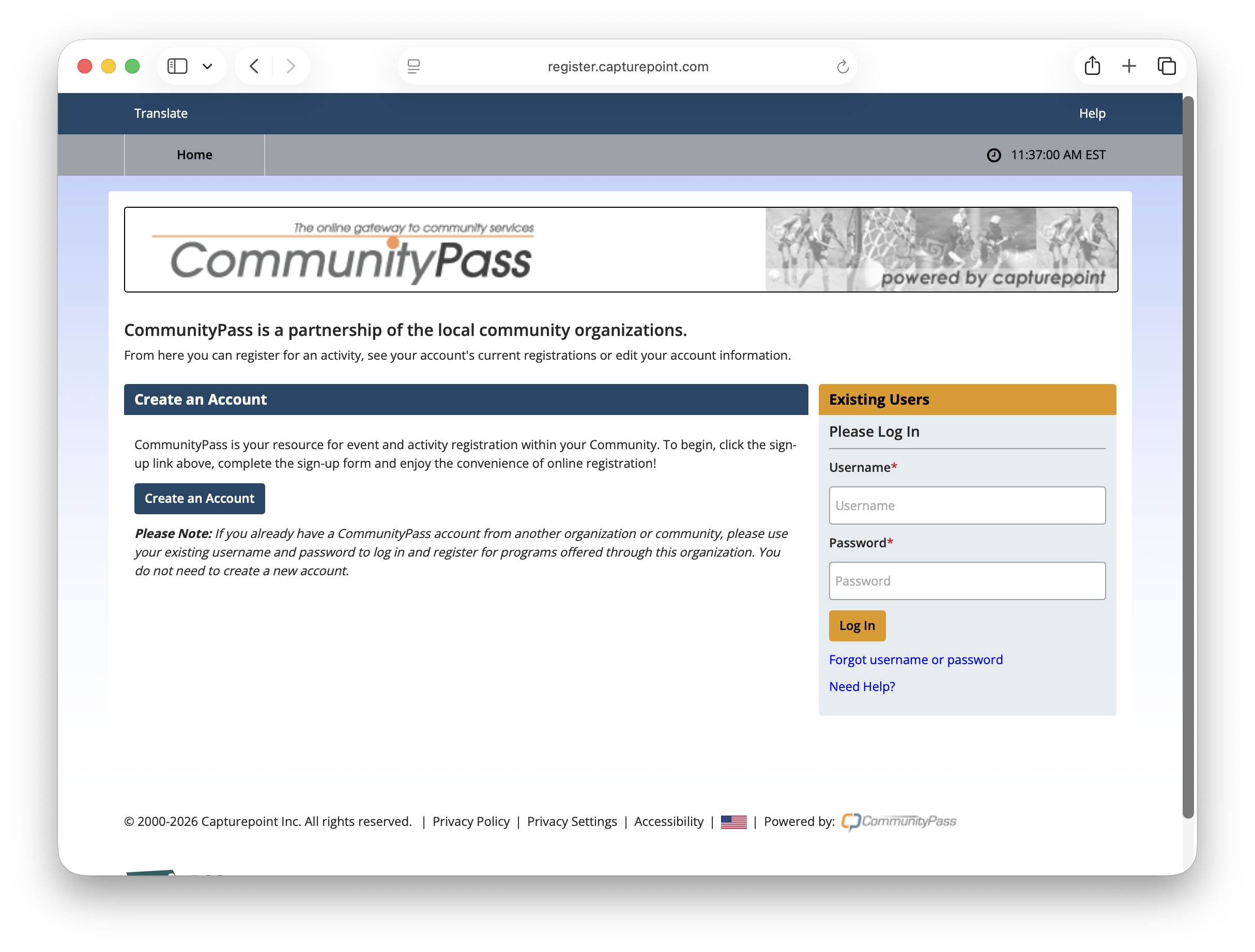
Step 2
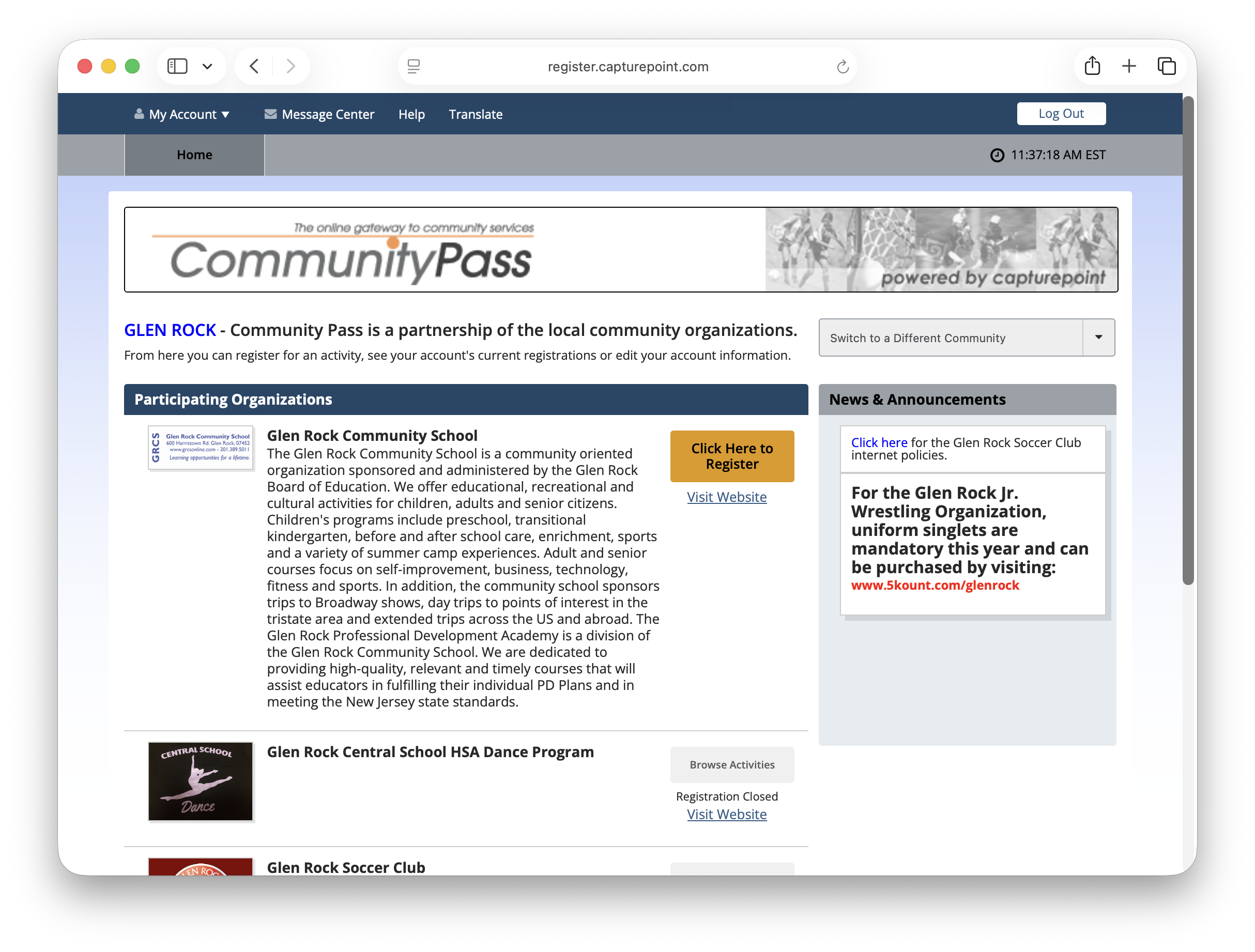
Notes: After logging in, select "Glen Rock Community School" as your option to register from.
Step 3
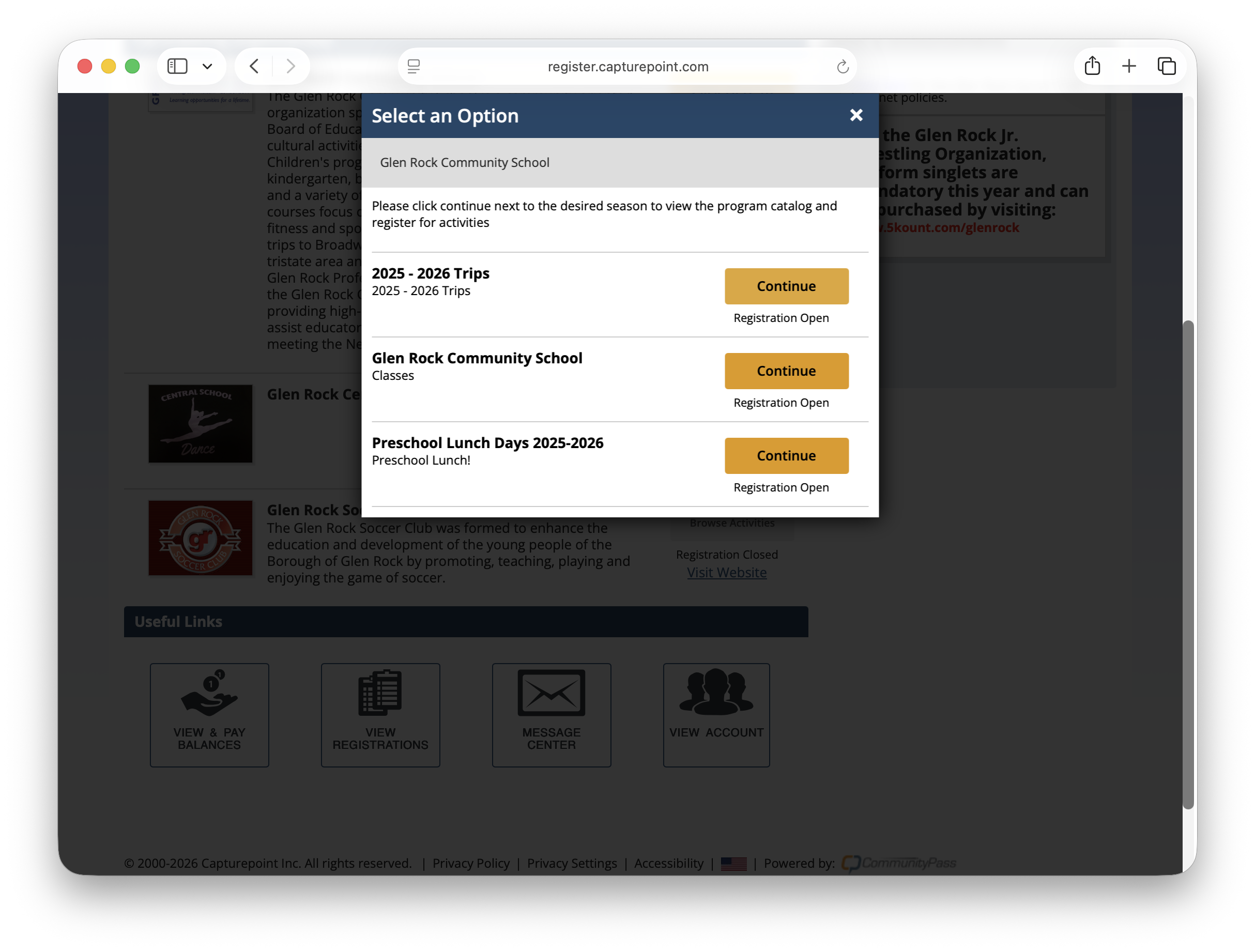
Notes: On the pop-up select "Glen Rock Community School"
Step 4
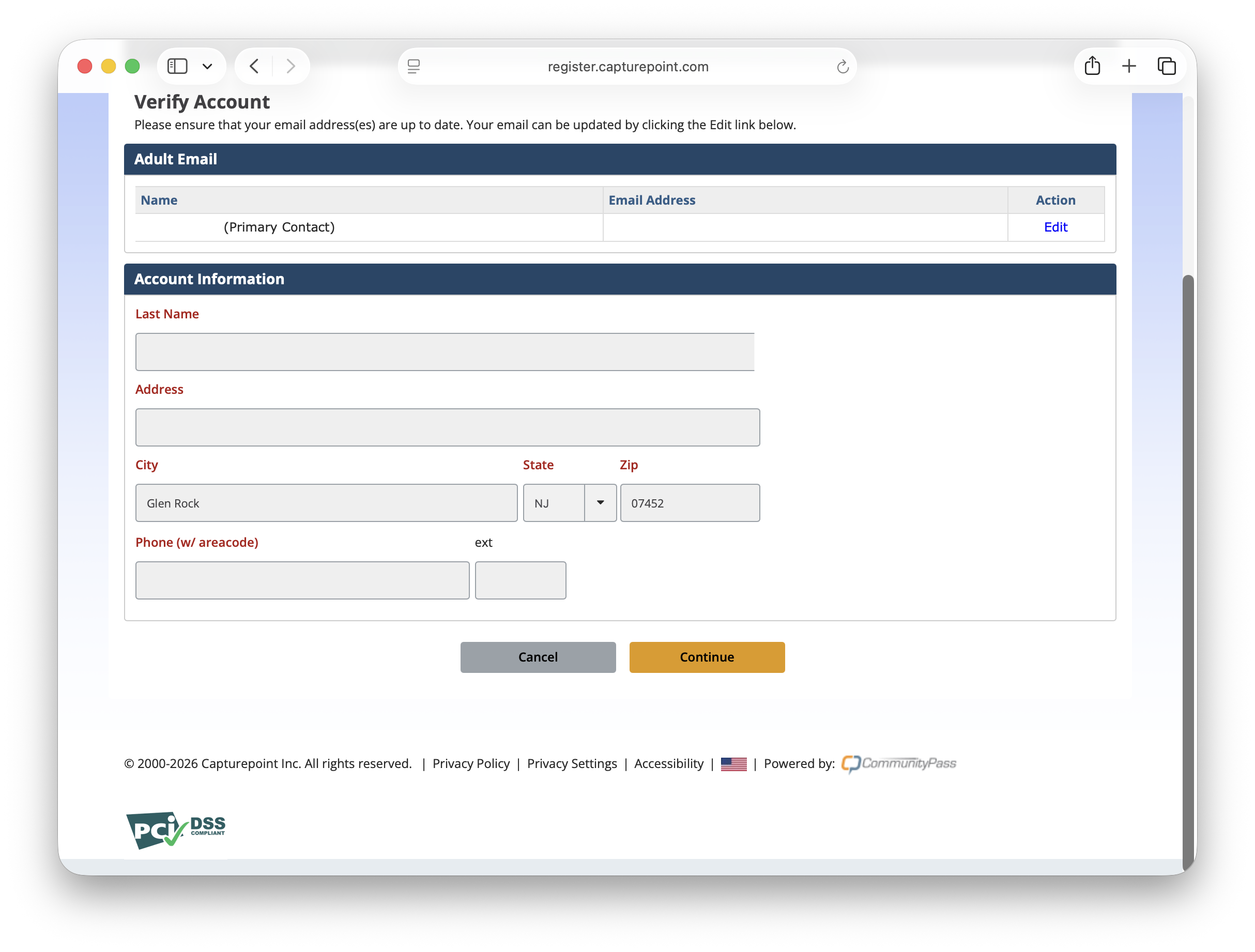
Notes: Verify your account details.
Step 6
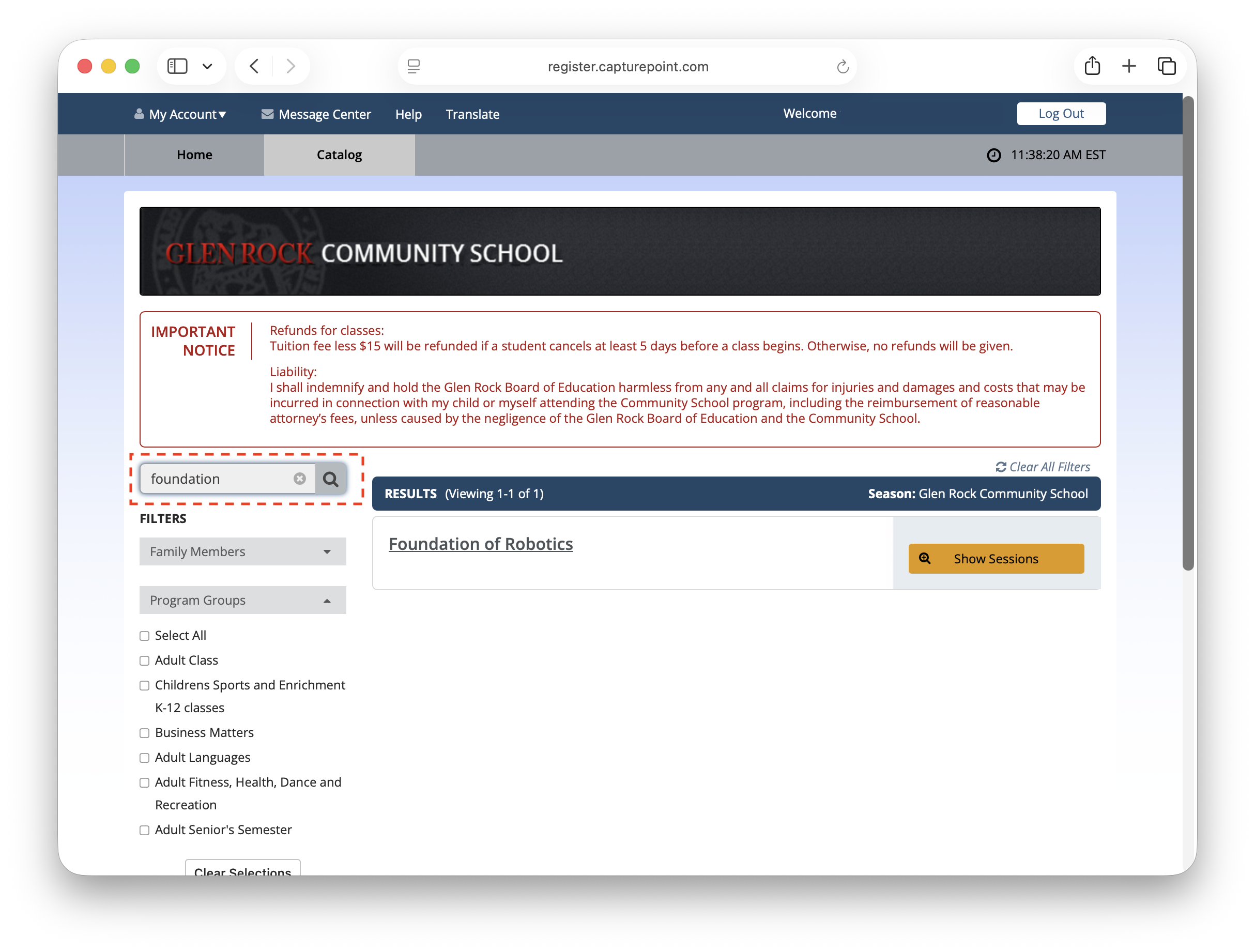
Notes: On the search bar on the top, type "Foundation", and hit search. The page should filter "Foundation of Robotics".
Step 7
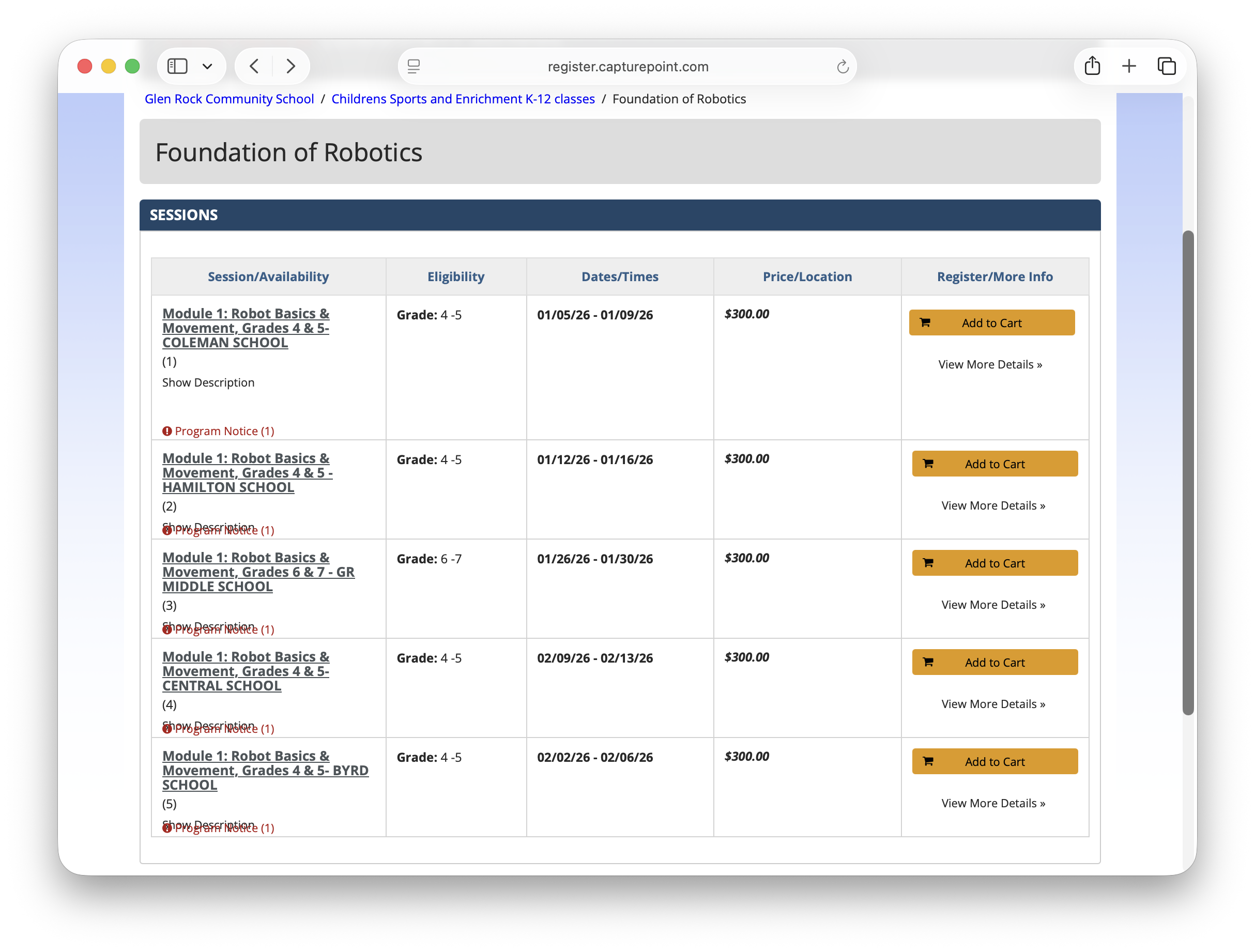
Notes: Select the school you are registering for, and complete the registration.
Notes: Clicking on the Register link on the schedule page, should get you to the login page from Community School.